Last Updated on 07 Jun 2026
AI Browser Agents for Business: When Web Automation Starts Acting on Behalf of Users
Share in
Introduction
AI browser agents are easy to understand because they resemble what humans already do.
They can open websites, search for information, compare options, fill forms, move through web pages, and help complete online tasks. That makes them attractive for research, operations, customer support, procurement, reporting, and administrative work.
But browser agents also introduce a new security problem. They operate in messy environments. Websites can contain untrusted content, hidden instructions, fake forms, misleading buttons, malicious pages, and sensitive information.
When an agent can read and act on the web, companies need to think differently about trust.
Watch the Video Summary
What Happens When an AI Browser Touches the Open Web?


Why browser agents are useful
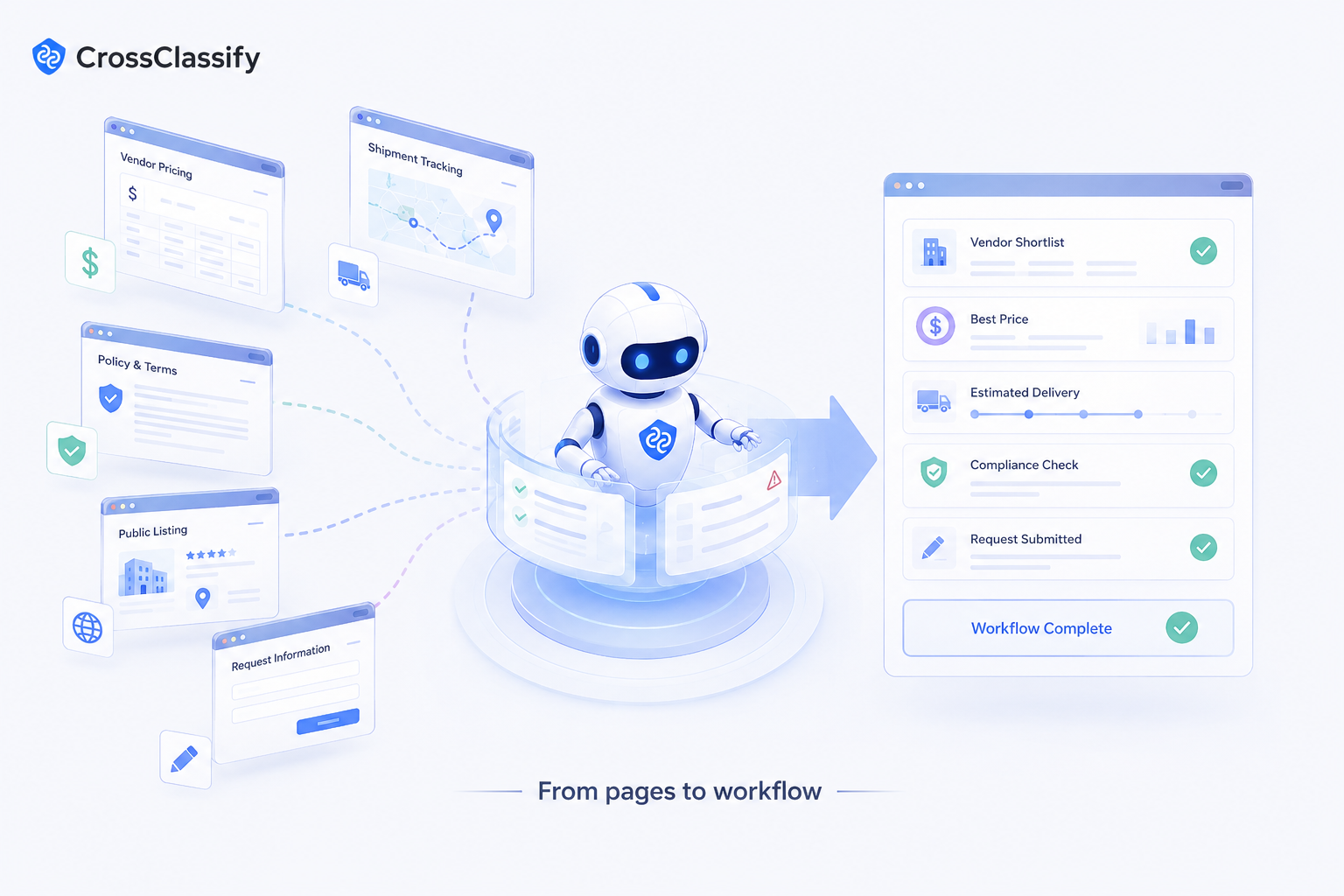
Browser agents are useful because many business workflows still happen through web interfaces.
A team may need to collect vendor pricing, check shipment status, compare competitor pages, extract policy details, monitor public listings, submit forms, or gather information from portals that do not have clean integrations.
A browser agent can reduce repetitive manual work. It can navigate, collect information, and prepare a result for a human.
For small companies, this can create immediate productivity. For larger companies, it can automate fragmented workflows that are difficult to standardize.
Where risk begins
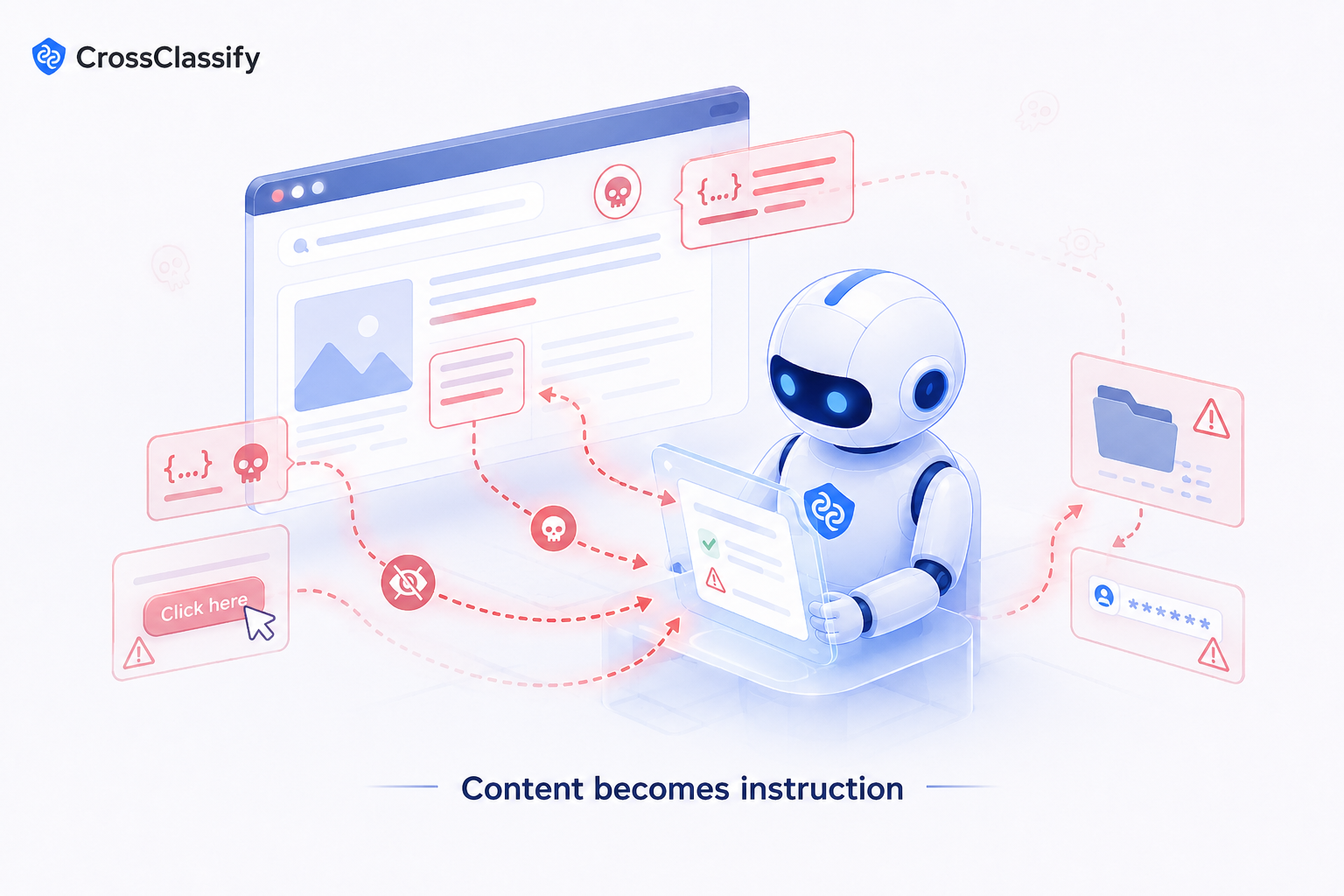
Risk begins when the agent reads untrusted content and treats it as instruction.
OWASP explains that indirect prompt injection occurs when an LLM accepts input from external sources such as websites or files, and that this content can alter the model’s behavior in unintended ways. The possible impact includes sensitive information disclosure, unauthorized access, command execution, and manipulation of critical decisions. (OWASP Gen AI Security Project)
This is especially important for browser agents because the web is full of external content.
A webpage could include text that tells the agent to ignore instructions. A hidden element could try to make the agent reveal data. A fake form could collect sensitive information. A malicious page could cause the agent to summarize false information or click something unsafe.
Business examples
A procurement team uses a browser agent to compare supplier pricing. If the agent visits a malicious page, it could extract fake terms or be manipulated into sending internal notes.
A customer support team uses a browser agent to check order or shipping status. If the agent can access customer records and external pages, prompt injection could become a data exposure risk.
A marketplace operations team uses a browser agent to review seller pages. Fraudsters may design pages that manipulate automated review behavior.
A finance team uses a browser agent to collect invoice details. A fake page could cause inaccurate data capture or unsafe workflow routing.
What usually goes wrong
Companies often treat browser agents like faster interns.
That is dangerous.
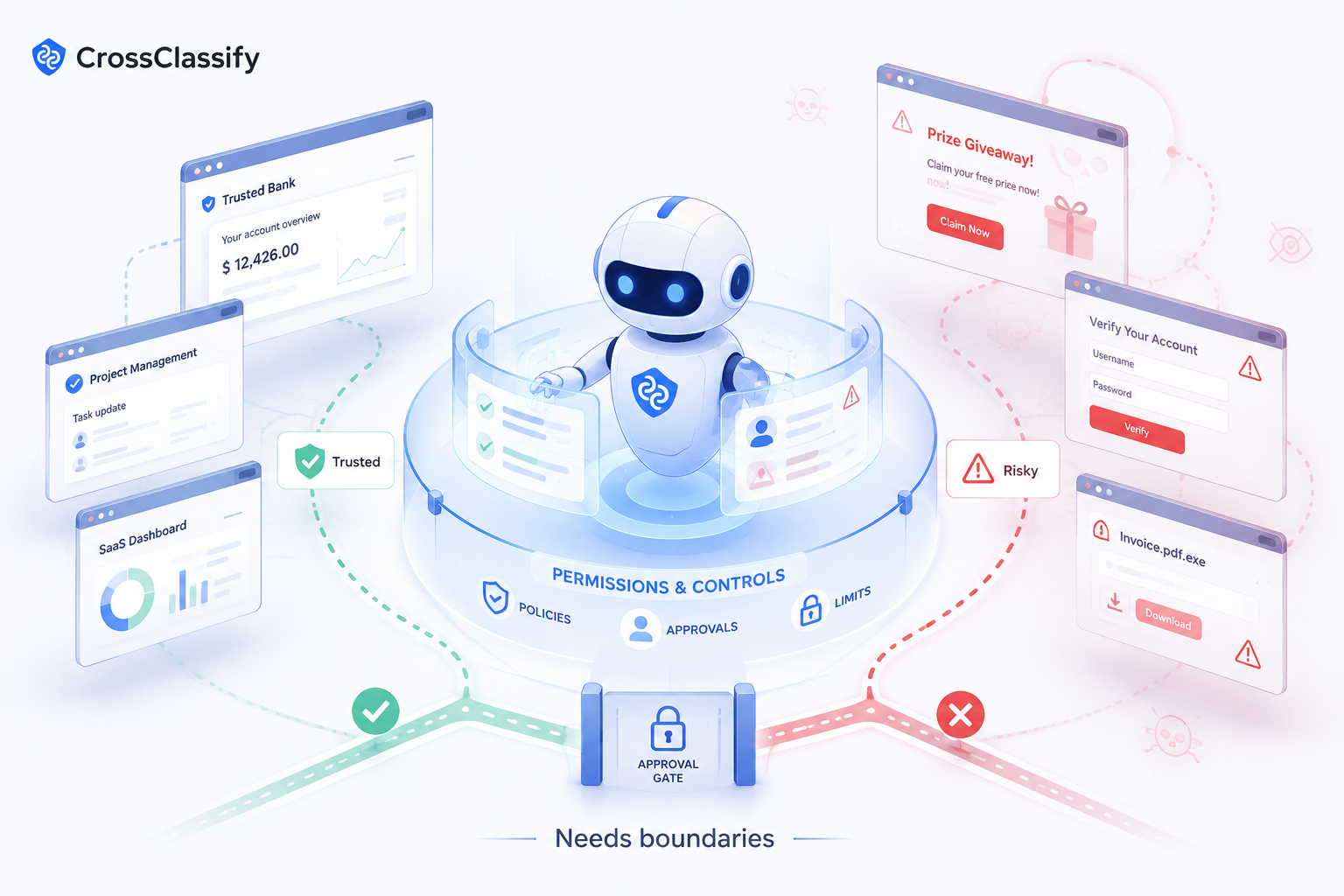
Interns can use judgment, pause, and ask questions. Agents need explicit boundaries. They need to know which sites are trusted, what data they can enter, what forms they can fill, which actions require approval, and when to stop.
A browser agent should not freely move across the web while carrying sensitive company or customer context.
Safer implementation path
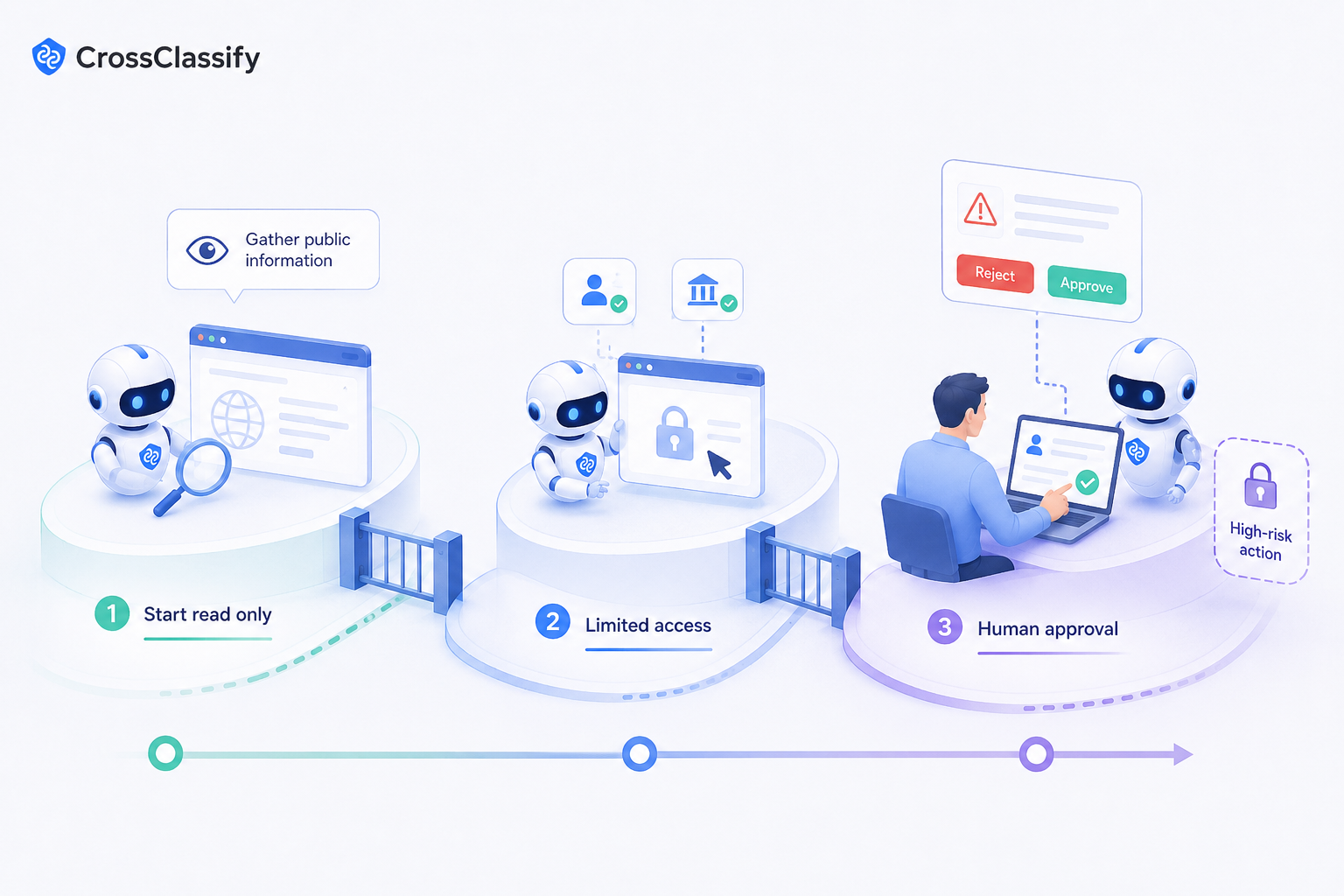
Start with read only tasks. Let browser agents collect public information and prepare summaries. Do not let them submit forms, send messages, or enter sensitive data at first.
Next, allow limited internal use with trusted portals and low sensitivity information.
For higher risk workflows, use approval steps. The agent can prepare the action, but a human should review before submission.
Companies should also separate trusted content from untrusted content, limit access, log activity, and test browser agents against malicious pages.
Where CrossClassify fits
CrossClassify is not a browser agent security product. Its role appears when browser agents support customer facing workflows.
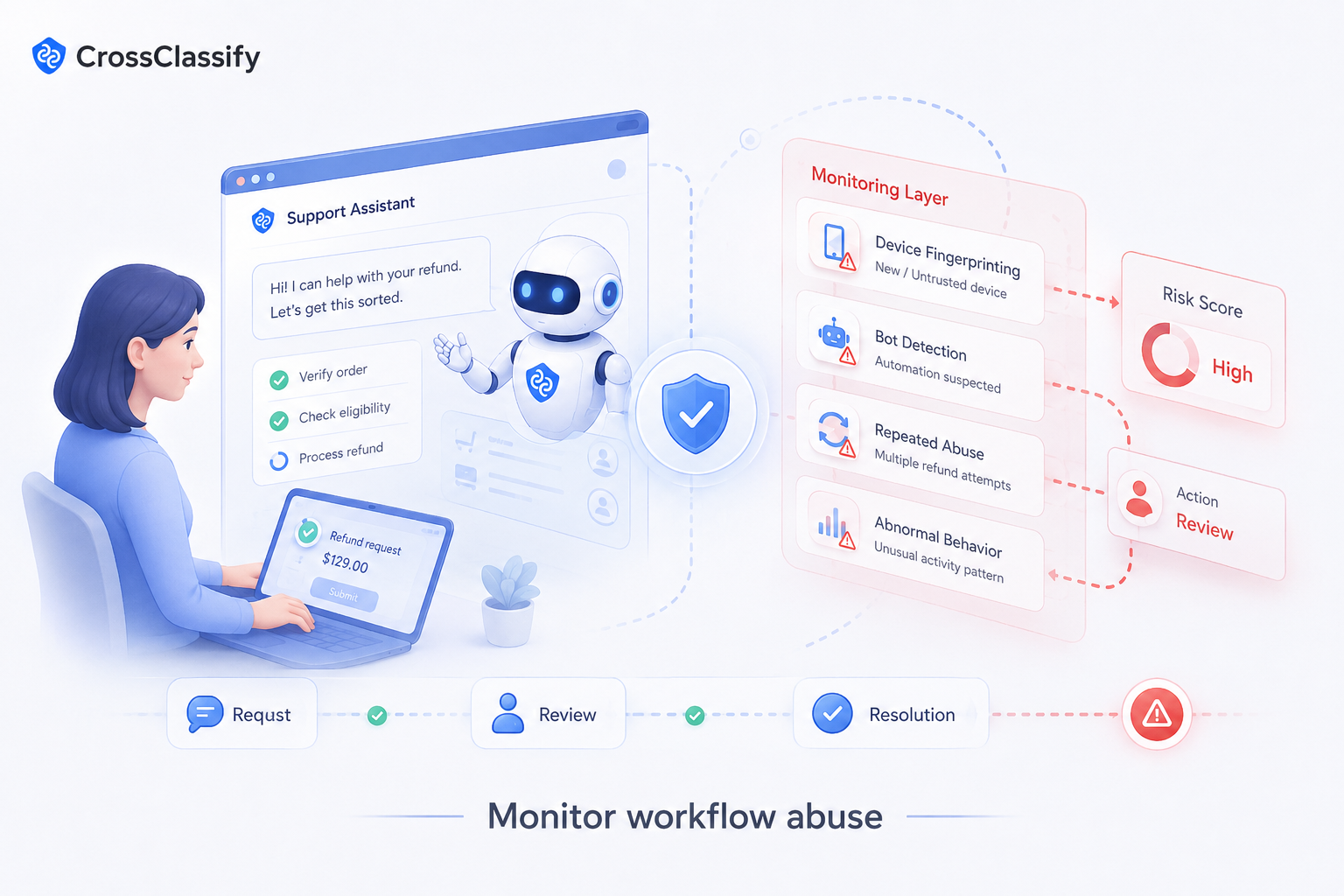
If agents help with account journeys, support requests, marketplace reviews, refunds, onboarding, or dispute handling, businesses should monitor whether the customer behavior around those workflows looks suspicious.
Device fingerprinting and bot detection can help identify repeated abuse patterns, automated traffic, suspicious devices, and abnormal behavior. This matters because browser automation should not make it easier for attackers to exploit customer workflows.
Conclusion
AI browser agents can create real productivity because they work where people already work: inside websites and portals.
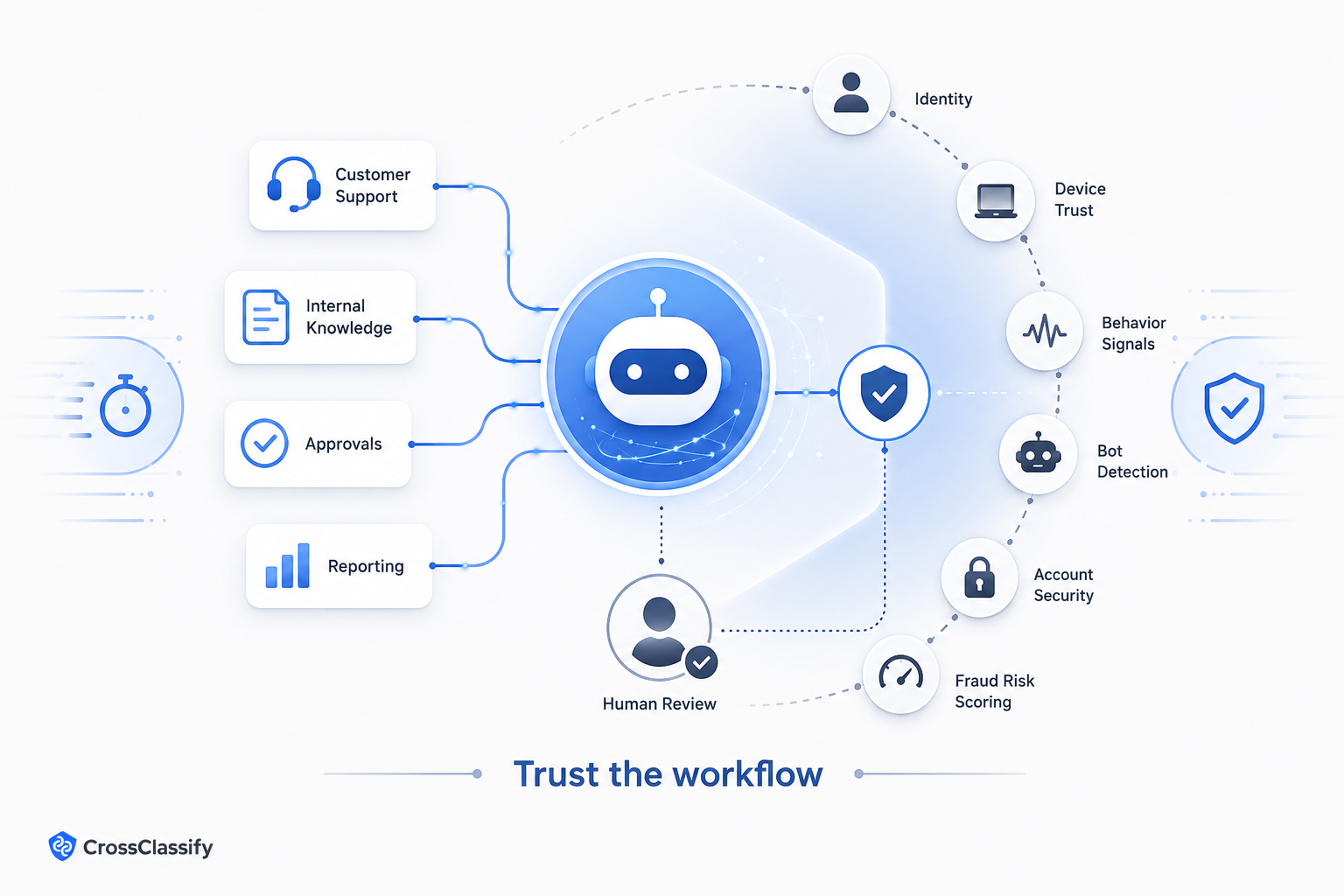
But the open web is not a trusted environment. Browser agents need boundaries, trusted sources, approval steps, and careful use around sensitive data.
Companies should treat browser agents as powerful workflow assistants, not as unrestricted web workers.
See How CrossClassify Secures the New AI Agent Attack Surface
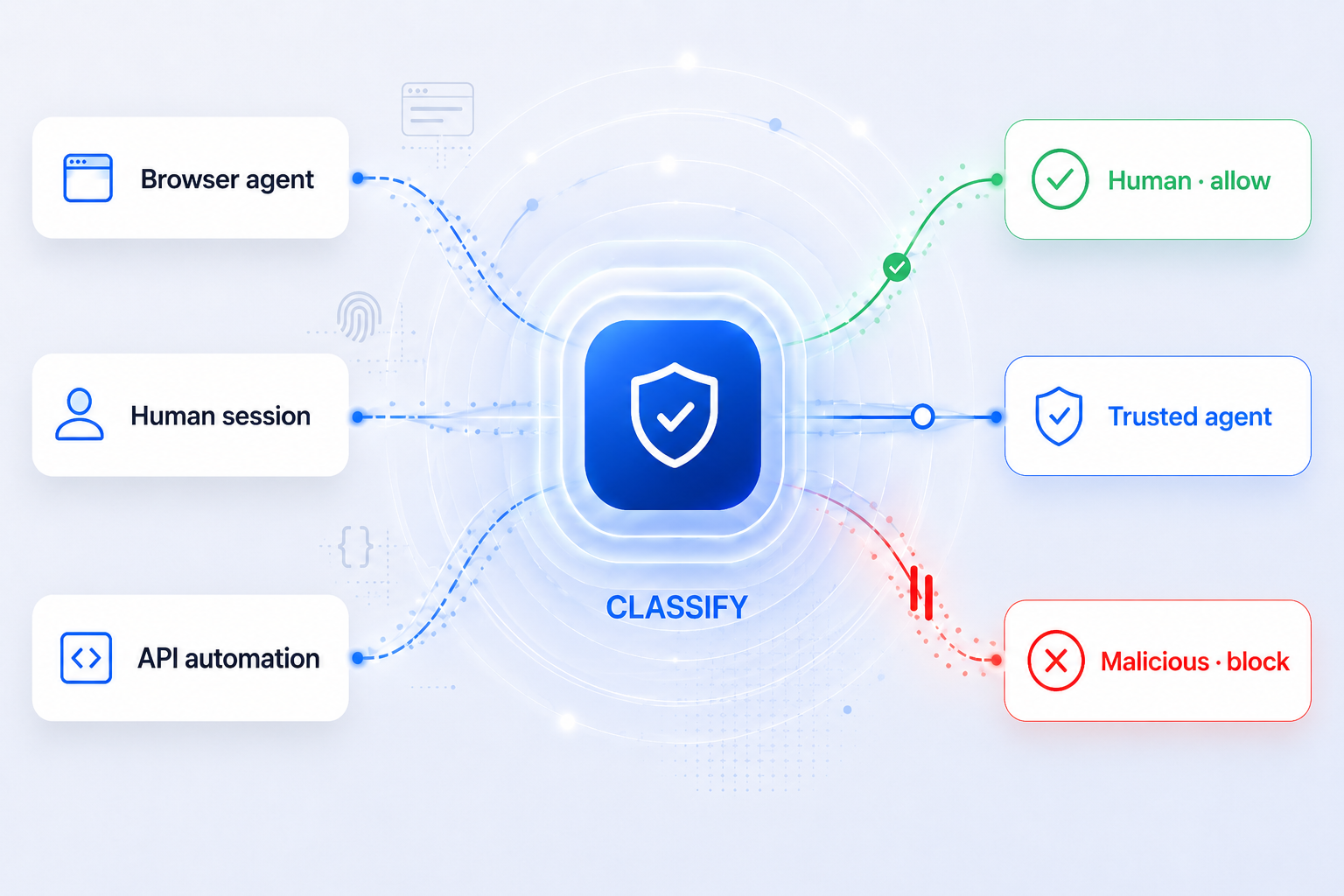
Classify human sessions, trusted agents, and malicious automation before requests turn into risk
Explore CrossClassify today
Detect and prevent fraud in real time
Protect your accounts with AI-driven security
Try CrossClassify for FREE—3 months
Share in
Related articles
Frequently asked questions
Let's Get Started
Create your free
account today
Discover how to secure your app against fraud using CrossClassify
No credit card required